BREADTH
30 tools & services
Event carbon, event operations, physical assets, corporate carbon/LCA, and print/paper.

OFFICIAL SOURCES. PRACTICAL PRODUCT LESSONS.
Explore how 30 platforms, tools and services handle carbon, exhibitions, equipment and print — then follow the ideas into a useful display decision.
A RESEARCH SNAPSHOT / 2026-10-05
These are source-linked observations, not a supplier ranking, endorsement or complete market census. Public help, scripted demos, marketing pages and contact gates are identified separately. A capability described by its vendor has not been independently certified here.
BREADTH
Event carbon, event operations, physical assets, corporate carbon/LCA, and print/paper.
TRACEABLE RESEARCH
Each record retains its checked date and what was actually inspected.
WORKFLOW DETAIL
Public instructions reveal how users move from input to review, fulfilment and reporting.
Plan A’s introductory guided-demo steps and ExpoCloud’s public catalogue/viewer were exercised. Bizzabo’s demo-library page was visited. Cvent and Watershed contact gates were left unsubmitted. The remaining records describe inspected official documentation or public product/service pages.
CHOOSE YOUR QUESTION
| Platform / service | Primary job | Research access | Start with the source |
|---|---|---|---|
| TRACE by isla | Event and business-operations carbon software | Help walkthrough First-event and Business Operations help inspected. Public demo-video landing inspected; no private live demo or customer account accessed. | Create your first event in TRACE ↗ Checked 2026-10-04 |
| event:decision — Track & evolve | Managed event measurement service | Public workflow description Official Track FAQ and evolve description inspected. No service commissioned, private report obtained or supplier contacted. | Track carbon-footprint service and FAQ ↗ Checked 2026-10-04 |
| Climeet | Event scenario and carbon reporting software | Public workflow description Public product FAQ and Express explanation inspected. No account, scenario credits or customer report accessed; the email-delivered checklist was not requested. | Why use Climeet — product FAQ ↗ Checked 2026-10-04 |
| Julie’s Bicycle — Creative Climate Tools | Free arts and culture impact tools | Help walkthrough Current official FAQ and feature guidance inspected. Organisation-account setup described in help; no account created or legacy certification represented as current. | Creative Climate Tools FAQ ↗ Checked 2026-10-04 |
| South Pole — meeting impact and climate services | Climate services and meeting-impact support | Help documentation Public support and service description inspected. MIR application and account workflow were not executed; no order or payment was placed. | Meeting-impact support documentation ↗ Checked 2026-10-04 |
| The Green Event Planner | Sustainable event consultancy | Marketing only Public service description inspected. No consultancy contact, workshop booking or software demonstration undertaken. | Official consulting and workshop overview ↗ Checked 2026-10-04 |
| Cvent | Event-management platform | Contact-gated demo Product overview inspected. The advertised 10-minute demo opens a name, work-email, phone and organisation form; it was not submitted and the demo was not watched. | Event-management overview ↗ Checked 2026-10-04 |
| Bizzabo | Event-experience and engagement platform | Demo library visited The public on-demand library was visited in a browser and its topic list inspected. Individual videos were not played through and no customer event was created. | Public on-demand demo library ↗ Checked 2026-10-04 |
| Eventbrite | Event pages, registration and ticketing | Help walkthrough Public event-creation and copy guides inspected. No Eventbrite account, ticket purchase or public event publication performed. | Create an event ↗ Checked 2026-10-04 |
| Swapcard | Organiser, exhibitor and attendee tools | Help walkthrough Getting-started, exhibitor-details and portal-feature pages inspected. No invitation, lead collection or actual exhibitor workspace accessed. | Organiser getting-started guide ↗ Checked 2026-10-04 |
| InEvent | Event planning, delivery and reporting | Help walkthrough Event-budget and company-budget help inspected. The separate public calculator asks for contact details; no form or account was submitted. | Event Budget Management ↗ Checked 2026-10-04 |
| ExpoPlatform | Trade-show and year-round community platform | Marketing only Official platform description and its demo-contact form inspected. No private organiser or exhibitor application accessed. | Official platform overview ↗ Checked 2026-10-04 |
| ExpoCloud / myWWM Studio | Trade-show platform, stand system and logistics | Public viewer visited Studio catalogue and viewer action were exercised in a browser; the selected configuration opened a viewer dialog with a canvas. No offer requested, booking made or private myWWM account used. | Public Studio catalogue and viewer ↗ Checked 2026-10-05 |
| Rentman | Equipment scheduling and warehouse software | Help walkthrough Availability, warehouse-movement and planning-period guides inspected. No trial or live warehouse transaction created. | Equipment availability and shortages ↗ Checked 2026-10-04 |
| OnRent Events — formerly Current RMS | Equipment rental and resource planning | Help walkthrough Official rebrand announcement and overbooking/store-transfer guides inspected. Appointment-based demos and customer operations were not executed. | Official name and interface update ↗ Checked 2026-10-04 |
| Flex Rental Solutions | Rental inventory and warehouse workflow | Help walkthrough Current preparation walkthrough, availability explanation and manifest-report documentation inspected. No scanner, warehouse account or live inventory changed. | Prepping a Pull Sheet ↗ Checked 2026-10-04 |
| ExhibitForce | Exhibit-programme assets and fulfilment | Marketing only Official fulfilment description and current enterprise brochure inspected. No private enterprise portal, barcode application or trial accessed. | Tradeshow fulfilment and inventory ↗ Checked 2026-10-04 |
| Persefoni | Corporate carbon accounting and controls | Marketing only Detailed capability table and FAQ inspected. Free-account signup was not completed and private ledger controls were not tested; coming-soon items are not treated as available. | Official plan capability table and FAQ ↗ Checked 2026-10-04 |
| Watershed | Enterprise sustainability data platform | Contact-gated demo Platform page and tour landing inspected. The tour asks for name, company and company email; no form submitted or interactive tour entered. | Official platform overview ↗ Checked 2026-10-04 |
| Normative | Corporate carbon and supplier engagement | Public workflow description Official supplier-engagement workflow and detailed primary-data guide inspected. No supplier contacted, survey sent or private Carbon Network data retrieved. | Supplier-engagement workflow ↗ Checked 2026-10-04 |
| Sweep | Sustainability data and supply-chain platform | Marketing only Official public platform presentation inspected. No private workspace, AI action or booked demo executed. | Official platform and supplier overview ↗ Checked 2026-10-04 |
| Plan A | Corporate carbon management and reduction planning | Public guided demo visited The official linked Arcade tour was opened and eight introductory/data/dashboard steps advanced in a browser. This was a scripted demonstration, not a customer-account calculation. | Official product overview ↗ Checked 2026-10-04 |
| Sphera | Corporate sustainability and product lifecycle software | Marketing only Official corporate sustainability and LCA product descriptions inspected. No licensed software, free trial or private demo accessed. | Corporate sustainability software ↗ Checked 2026-10-04 |
| One Click LCA | Building and product lifecycle assessment | Help walkthrough Current material-selection, data-card and calculation-detail help inspected. No licensed project, EPD publication or customer calculation created. | Selecting environmental data ↗ Checked 2026-10-04 |
| EC3 — Building Transparency | Construction EPD discovery and embodied-carbon comparison | Help walkthrough Official tool page, scope documentation and plan/compare guide inspected. No EC3 account or API key created and no licensed/API dataset copied. | EC3 tool and scope ↗ Checked 2026-10-04 |
| Diligent | Sustainability, carbon and governance reporting | Marketing only Official product and governance descriptions inspected. Vendor auditability claims are attributed; no private assurance workflow or compliance conclusion tested. | Carbon-accounting capabilities ↗ Checked 2026-10-04 |
| ClimateCalc | Print-company and print-product carbon accounting | Help walkthrough Current official full guide and Basic quick guide inspected. The public demo is described as a fictional read-only account; this card does not claim a certified company calculation. | Official ClimateCalc guide downloads ↗ Checked 2026-10-04 |
| CarbonQuota | Print product, operational and integration carbon tools | Public workflow description Official print-industry workflow, FAQ and integration descriptions inspected. No MIS integration, job API, private calculator or sales demo executed. | Print workflow and footprint FAQ ↗ Checked 2026-10-04 |
| Environmental Paper Network — Paper Calculator | Paper-grade and recycled-content comparison | Public calculator landing Current version 4.1.0 landing inspected. The interactive calculation journey and numerical outputs were not independently exercised for this landscape card. | Current Paper Calculator ↗ Checked 2026-10-04 |
| BVDM Klimainitiative — CO₂ calculator | Participant print-industry carbon programme | Marketing only Official services description inspected in German. Participant calculator was not accessed. A separate product identity called “Klimaprint” was not verified in this review. | Official initiative services and access conditions ↗ Checked 2026-10-04 |
THE LEAF DIRECTION / EDITORIAL SYNTHESIS
The opportunity is to connect these established workflow patterns around the actual graphic assembly and its next use. These priorities are our interpretation of the inspected sources; they do not assert that another product lacks a feature.
01 / PHYSICAL ASSET
Give each physical kit a stable identity, measurements, compatible graphic interface, current condition and deployment history. Link the photo pins to those parts.
Informed by Rentman, OnRent Events — formerly Current RMS, Flex Rental Solutions, ExhibitForce.
Follow the useful next step ↗02 / CALENDAR
Check preparation, transport, use, repair and return windows before promising an asset to another event. A reuse opportunity is useful only when the equipment can actually serve the task.
Informed by Rentman, OnRent Events — formerly Current RMS, Flex Rental Solutions.
Follow the useful next step ↗03 / SAME TASK
Retain the functional outcome, dimensions, duration and model boundary when comparing retain, repair, reface and replace. Keep cost, energy and carbon gaps visible.
Informed by Climeet, ClimateCalc, CarbonQuota, One Click LCA.
Follow the useful next step ↗04 / FACTOR TRAIL
A usable factor needs an exact subject, declared unit, stage boundary, geography, year and source. Make the quantity and arithmetic inspectable, and treat unmatched sources as unresolved.
Informed by One Click LCA, EC3 — Building Transparency, Persefoni, Diligent.
Follow the useful next step ↗05 / PLAN ACTUAL
Retain the forecast and actual deployment records separately. Record substitutions, actual printing and return condition, then show the variance without rewriting the original plan.
Informed by TRACE by isla, InEvent, Flex Rental Solutions, event:decision — Track & evolve.
Follow the useful next step ↗06 / RESPONSIBILITY
Give each request an exact product or assembly subject, responsible party, deadline and review state. Prepare a portable brief while private shared-team workflows remain dependent on the engine.
Informed by Swapcard, Normative, The Green Event Planner.
Follow the useful next step ↗07 / OFFICE EVENT
Use explicit activity periods and allocation rules. Avoid counting the same electricity, transport or supplier manufacturing activity twice across company, asset and event views.
Informed by TRACE by isla, Sphera, CarbonQuota, South Pole — meeting impact and climate services.
Follow the useful next step ↗08 / USEFUL DEMO
Offer a labelled fictional programme that visitors can explore, edit and export. Show a real task, a decision, its evidence and the next action before asking them to commit their own data.
Informed by Plan A, ExpoCloud / myWWM Studio, Bizzabo, Eventbrite.
Follow the useful next step ↗EVENT CARBON / 6 RECORDS
What belongs in the event footprint, and how does the plan become an actual record?
Public help describes event estimates, graphics and production inputs, supplier contributions, dashboards and completed-event records. Business Operations adds office and venue activity separately from event reporting.
Create event → select impact categories → estimate and collect inputs → replace with actual data → complete and close.
Estimates, actuals and supplier readiness have explicit stages. Separate operational records can support office and event reporting without entering the same activity twice.
Keep the graphics assembly and reused frame visible inside the wider event. Make allocation and any missing production, transport or recovery activity inspectable.
First-event and Business Operations help inspected. Public demo-video landing inspected; no private live demo or customer account accessed.
Track describes pre-event forecasts and post-event reconciliation as a managed service. Evolve extends the view to exhibition or congress stakeholders, including visitors, sponsors and exhibitors.
Share an event brief → service prepares a forecast → explore mitigation → reconcile the completed event → compare reports.
Connects event-level insight and practical service support, with broader exhibition stakeholders considered in the evolve offer.
Offer a usable supplier handover brief with clear quantities, boundaries and outstanding evidence. A local estimate should remain distinct from a managed, reviewed event report.
Official Track FAQ and evolve description inspected. No service commissioned, private report obtained or supplier contacted.
The product FAQ describes editable event scenarios followed by finalized reporting. Express is presented as a quick indicative estimate; the vendor explicitly distinguishes that from a precise full assessment.
Collect the event activity inputs → build and compare scenarios → refine the plan → finalize and download results.
Places scenario exploration before finalized reporting and provides an event data-collection checklist.
Show why two display scenarios are comparable, retain functional outcome and exclusions, and separate a quick estimate from a fully evidenced calculation.
Public product FAQ and Express explanation inspected. No account, scenario credits or customer report accessed; the email-delivered checklist was not requested.
The current FAQ covers buildings, offices, events, tours, productions, waste and materials. Forecasting, carbon budgets, ROI and Beyond Carbon broaden the tools beyond a single footprint total.
Join an organisation account → choose a footprint and period → enter activity data → review impacts and action context → track progress.
Accessible sector-specific reporting connects quantitative footprints with wider environmental practice. The FAQ explains the reporting-year approach to factors.
Make the display journey useful to small creative organisations, and show material longevity, recovery and evidence coverage alongside scoped carbon.
Current official FAQ and feature guidance inspected. Organisation-account setup described in help; no account created or legacy certification represented as current.
Public shop support describes a Meeting Impact Report followed by a separate option to compensate emissions. The main service site covers reporting, transition planning, energy and value-chain work.
Calculate meeting impact in the relevant MIR tool → keep the event result → consider any separate climate contribution.
The documentation separates calculating the meeting from purchasing a climate contribution.
Keep gross emissions, conditional reductions and any external contribution in distinct records. A credit purchase must not silently make a display scenario zero-carbon.
Public support and service description inspected. MIR application and account workflow were not executed; no order or payment was placed.
The official site presents Swiss event consulting, team workshops, venue sustainability concepts and educational resources. It is a consultancy reference rather than a demonstrated software calculator.
Define the event or venue challenge → develop practical changes → involve the event team through advice and workshops.
Treats implementation and staff participation as part of improving an event, rather than relying on a carbon number alone.
Convert the selected display direction into specific inspection, production, packing and recovery actions with an owner and deadline.
Public service description inspected. No consultancy contact, workshop booking or software demonstration undertaken.
EVENT OPERATIONS / 7 RECORDS
Who needs to do what, by when, and with which information?
The public overview connects registration, event websites, budgets, travel and accommodation, engagement, reporting and integrations across event formats.
Plan the event and budget → build registration and communications → manage attendee and onsite activity → review reporting.
Broad event operations and enterprise integration give the organiser context beyond a standalone calculator.
Attach graphics procurement and installation decisions to the event programme, its dates and its budget instead of asking users to rebuild the context.
Product overview inspected. The advertised 10-minute demo opens a name, work-email, phone and organisation form; it was not submitted and the demo was not watched.
The public demo library lists event templates, configuration, registration, session building, onsite check-in, analytics, exhibitor data and access permissions.
Start from an event template → configure pages, registration and sessions → operate check-in and engagement → analyse the event.
Short, task-specific demonstrations explain a complex event product in manageable steps.
Let visitors experience a complete fictional display programme, then start their own work. Show a practical next action and keep demonstration data labelled.
The public on-demand library was visited in a browser and its topic list inspected. Individual videos were not played through and no customer event was created.
The creation guide follows the event page, tickets, attendee information, preview and publication settings. Its copy guide distinguishes reused event settings from attendee records.
Build the event page → add tickets → configure attendee questions → preview → choose publication and privacy settings.
A clear end-to-end publishing journey and deliberate limits on what a duplicated event carries forward.
A repeated event can reuse a graphics plan while inspection dates, venue requirements and evidence validity receive fresh review.
Public event-creation and copy guides inspected. No Eventbrite account, ticket purchase or public event publication performed.
Current organiser help distinguishes Studio, Event App, Exhibitor Center, Backstage and onsite tools. Exhibitor guidance includes profile assets, team access, supporting information and configurable workflows.
Create organiser event content → configure exhibitors and team permissions → prepare tasks and documents → run attendee and exhibitor activity.
The organiser and exhibitor perspectives have clear roles, while exhibitor tasks and documents make operational readiness visible.
Give each display-related request a precise subject, responsible party and completion state. Public discovery is separate from real team permissions.
Getting-started, exhibitor-details and portal-feature pages inspected. No invitation, lead collection or actual exhibitor workspace accessed.
Budget help distinguishes Draft, Foreseen and Fulfilled items, supplier and category assignment, budget limits, pipeline views, imports and exports. Company-budget help aggregates event spending.
Set event budget → add categorized supplier costs → advance planned items through their status → compare spending and balance → review the portfolio.
Financial status and budget visibility are explicit at both event and organisation levels.
Keep planned, quoted and actual graphics costs separate. Show cost and scoped carbon changes together without treating an unconfirmed quote as expenditure.
Event-budget and company-budget help inspected. The separate public calculator asks for contact details; no form or account was submitted.
The public platform overview describes registration, event websites, interactive floorplans, exhibitor manuals, networking, lead tools and supplier marketplaces that continue outside event dates.
Prepare the event and exhibitor information → connect participants and meetings → capture event activity → maintain the year-round community.
Combines exhibition discovery, participation and ongoing supplier relationships.
Keep event edition discovery connected to the actual graphics brief, material evidence and next deployment; a discovered listing does not register anyone for a show.
Official platform description and its demo-contact form inspected. No private organiser or exhibitor application accessed.
A public Studio catalogue offers stand configurations with dimensions, stand/system filters and viewer actions. The wider ExpoCloud offer connects planning, booking, modular stands, logistics and analysis.
Filter a stand configuration → open the viewer → consider the event requirements → coordinate the platform and execution services.
Makes stand selection spatial and tangible. Catalogue prices explicitly exclude obligatory logistics and mounting, keeping an important cost boundary visible.
Make physical display options explorable before commitment, and carry the complete assembly, installation and return costs into a comparable plan.
Studio catalogue and viewer action were exercised in a browser; the selected configuration opened a viewer dialog with a canvas. No offer requested, booking made or private myWWM account used.
ASSETS / 4 RECORDS
Is the actual asset available, serviceable and ready for its next deployment?
Current help separates equipment planning and usage periods. Availability depends on project status, reservations, repairs and warehouse movement; delayed returns can create shortages in future work.
Create project periods → check availability → reserve the equipment → book it out → record return or delay → resolve resulting shortages.
Connects the calendar to real warehouse movement rather than assuming planned equipment has returned.
Reserve the actual display asset across preparation, installation and return windows. Highlight repair blocks and overlapping bookings before choosing reuse.
Availability, warehouse-movement and planning-period guides inspected. No trial or live warehouse transaction created.
The official rebrand is reflected in current help. Overbooking controls can apply to products, serialized assets or both; store-transfer help describes stock movement and availability checks.
Create the opportunity → check product and serialized availability → reserve or allocate stock → transfer and fulfil → reconcile.
Distinguishes a quantity of a product from the availability of a particular serialized asset.
Give a frame or complete kit its own identifier. A generic record for ten frames must not let the same physical frame be deployed twice.
Official rebrand announcement and overbooking/store-transfer guides inspected. Appointment-based demos and customer operations were not executed.
Public help follows a pull sheet through serialized or quantity scans into a manifest. Availability changes with preparation and return records; reports retain the units actually scanned.
Prepare a pull sheet → scan the selected units → record substitutions in the manifest → finalize preparation → scan returns.
The record of what actually went out can differ from the requested item and remains attributable to the job.
Record the frame and graphic actually deployed, substitutions, return condition and missing components. Update the actual impact record from those facts.
Current preparation walkthrough, availability explanation and manifest-report documentation inspected. No scanner, warehouse account or live inventory changed.
The official fulfilment page describes a branded request portal, date/show/item inventory search, linked setup instructions and CADs, barcode movement and shipping dashboards.
Find an available exhibit asset → allocate it to a request → link the setup and crate information → ship and track → update inventory.
Connects the physical property, its instructions and shipping record to the exhibit programme.
Keep setup, fixing compatibility, crate details and evidence beside the display identity. The next-life recommendation should remain useful to the person packing it.
Official fulfilment description and current enterprise brochure inspected. No private enterprise portal, barcode application or trial accessed.
CARBON LCA / 9 RECORDS
Can the quantity, factor, scope and approval behind a result be followed?
The public capability comparison documents activity-level accounting methods and factors, reviews, attribution and audit history. Pro is described as free, while advanced features and some outputs have distinct availability.
Define the inventory boundary → ingest activity data → review inputs → follow the factor and method in the ledger → analyse and report.
Calculation lineage and review controls are visible capabilities, with clear plan-level distinctions.
Preserve provenance and revision history with a display decision. Free access alone is not a defensible market differentiation.
Detailed capability table and FAQ inspected. Free-account signup was not completed and private ledger controls were not tested; coming-soon items are not treated as available.
The public platform page describes data ingestion, transparent calculation lineage, reporting, supplier work and reduction planning. Product tours are advertised but require contact details before starting.
Collect and process activity data → inspect measurement → report → identify procurement and reduction actions.
Measurement, disclosure and action are joined around a shared data record.
Carry the same source-backed component data from assessment to procurement and actual use, instead of presenting disconnected totals.
Platform page and tour landing inspected. The tour asks for name, company and company email; no form submitted or interactive tour entered.
The supplier workflow combines direct surveys, reusable Carbon Network records, uploads, advisory support and connected calculations. Official guidance distinguishes supplier primary data from secondary estimates.
Establish a baseline → prioritize suppliers → collect appropriately scoped data → connect it to calculations → refine reduction decisions.
Connects improved supplier data to calculations while acknowledging different supplier reporting capabilities.
Request the minimum useful exact-variant data once, preserve its source and permission, and reuse the reviewed record across compatible graphics jobs.
Official supplier-engagement workflow and detailed primary-data guide inspected. No supplier contacted, survey sent or private Carbon Network data retrieved.
The official overview describes shared organisation/value-chain data, reporting reuse, supplier information and reduction decisions. Its current AI presentation keeps work tied to platform resources and user control.
Centralize organisation and value-chain inputs → share reporting data → analyse costs and emissions → prioritize actions.
Treats sustainability data as reusable operational information rather than an isolated annual document.
Keep evidence, actions and actual outcomes linked to the display asset and programme. Any automated extraction needs review before it becomes a claimed material fact.
Official public platform presentation inspected. No private workspace, AI action or booked demo executed.
The public guided demonstration moves from purchased-goods data onboarding and mapping into calculated emissions, dashboards, filters and product breakdowns. The product description also covers reports and reduction planning.
Onboard and map activity data → review calculated emissions → filter dashboard views → break down hotspots → plan the next action.
An ungated demonstration makes the transition from imported inputs to analytical insight tangible.
Let users inspect the input behind a chart and drill from the portfolio to an individual display, supplier or missing evidence line.
The official linked Arcade tour was opened and eight introductory/data/dashboard steps advanced in a browser. This was a scripted demonstration, not a customer-account calculation.
Official product descriptions distinguish corporate sustainability reporting from LCA for Experts and larger-scale automation. The product lifecycle view includes manufacture, use and disposal.
Choose the corporate or product assessment context → collect relevant inputs → apply the method and data → analyse lifecycle impacts → report.
Separates the company inventory question from the product-lifecycle question.
Do not collapse supplier company emissions, product manufacturing data and event operating activity into one interchangeable factor.
Official corporate sustainability and LCA product descriptions inspected. No licensed software, free trial or private demo accessed.
Current help explains material selection, source data cards and calculation details. A dataset-selection guide stresses product, technology, geography, time, eligibility and a documented reason for any proxy.
Identify material and quantity → choose representative eligible data → inspect the source card → calculate → review the stage-level calculation mechanics.
Source selection and calculation transparency are presented as part of the workflow, not just background methodology.
Attach exact product identity, unit, stage boundary and representativeness to each factor. Construction data needs application review before reuse for a graphic assembly.
Current material-selection, data-card and calculation-detail help inspected. No licensed project, EPD publication or customer calculation created.
The official tool and user guide cover material quantities, EPD search, project comparison, original documents and uncertainty. Upfront embodied-carbon assessment is distinguished from whole-life impact assessment.
Set the construction scope → search relevant EPDs → apply quantities and collections → compare planned and realized embodied carbon → retain document context.
Material procurement is linked to digitized EPDs, original sources and an explicit assessment scope.
Keep source EPDs and uncertainty visible. An upfront construction factor is not a universal whole-life factor for printed graphics.
Official tool page, scope documentation and plan/compare guide inspected. No EC3 account or API key created and no licensed/API dataset copied.
Official carbon-accounting and ESG pages describe data collection, factor libraries, anomaly/completeness checks, change logs, roles and reporting. Energy and location views sit within the wider governance context.
Collect activity and energy data → validate completeness → calculate and retain change history → report through the required governance view.
Connects data ownership, review and reporting responsibilities.
Show who recorded a display measurement, who reviewed the source, what changed and which evidence is still needed before publication.
Official product and governance descriptions inspected. Vendor auditability claims are attributed; no private assurance workflow or compliance conclusion tested.
PRINT PAPER / 4 RECORDS
Does the footprint describe this job, the supplier operation or a paper scenario?
The official guide connects annual company inputs, substrate data, supporting references, audit/certification and product calculations. It distinguishes Basic and Full features and company versus individual-job results.
Set the account period → enter company and substrate activity with references → complete the record and supporting documentation → follow review → calculate eligible print products.
Job calculation sits within a defined print-company accounting method and review process. Missing-input errors and document references are explicit.
A purchased graphic needs a supplier/job footprint with its own boundary. Do not substitute the printer’s company total or a paper-only number for the complete installed display.
Current official full guide and Basic quick guide inspected. The public demo is described as a fictional read-only account; this card does not claim a certified company calculation.
The print page and FAQ describe job-specific activity-based footprints, specification comparison, operational baselines and MIS/ERP integration. Documented boundaries determine which production, transport and end-of-life activities are included.
Use job specification and production data → calculate within the stated boundary → compare specification choices → return evidence to the customer or existing MIS.
Brings carbon information into the actual quote/job workflow, with a separate operational view.
Preserve a supplier’s returned job footprint and exclusions, then add event transport, use, installation or recovery only where those activities are outside it.
Official print-industry workflow, FAQ and integration descriptions inspected. No MIS integration, job API, private calculator or sales demo executed.
The current public calculator landing describes estimates for paper grades, recycled content and avoided use across carbon and other environmental indicators, including energy, water and waste.
Choose paper assumptions → compare grades or recycled content → review estimated impacts and avoided-use scenarios.
Shows that a substrate choice has environmental indicators beyond carbon alone.
Keep the paper scenario distinct from ink, finishing, hardware and event use. A substrate comparison does not establish the footprint of an entire printed display.
Current version 4.1.0 landing inspected. The interactive calculation journey and numerical outputs were not independently exercised for this landscape card.
The official German print/media initiative describes company and product carbon calculations using process, material and energy inputs, supported by training and audits. Calculator access is restricted to participating companies.
Join the relevant print initiative → adapt the calculator to the operation → gather process, material and energy data → review results and reductions.
Connects print-sector calculation with company implementation and support rather than offering a generic public material score.
Store exactly which supplier programme and product evidence supports a claim. Membership or a climate-project contribution is not an automatically transferable display factor.
Official services description inspected in German. Participant calculator was not accessed. A separate product identity called “Klimaprint” was not verified in this review.
Research used official publicly accessible pages and documentation on the stated dates, with limited public demo/viewer interaction. No account was created, trial activated, vendor contacted, event published, inventory changed, API dataset retrieved or purchase made. Product names and access conditions can change; follow the original source before relying on a current commercial offer.
“Help walkthrough” means the public instructions were inspected, not that the private application was executed. Vendor assertions of accuracy, compliance, certification, database size or performance remain vendor assertions. A public source is not permission to import a proprietary factor database.
Company carbon, job/product footprints, upfront construction embodied carbon and whole-event footprints have different boundaries. Keep source scope, declared units, dates, geography and exclusions when connecting them. Unknown inputs remain unknown.
The name Current RMS is retained alongside its documented successor, OnRent Events. A distinct calculator identity called “Klimaprint” was not verified; the print-initiative record refers specifically to the official BVDM Klimainitiative. The Green Event Planner is identified as a consultancy, not a demonstrated software product.
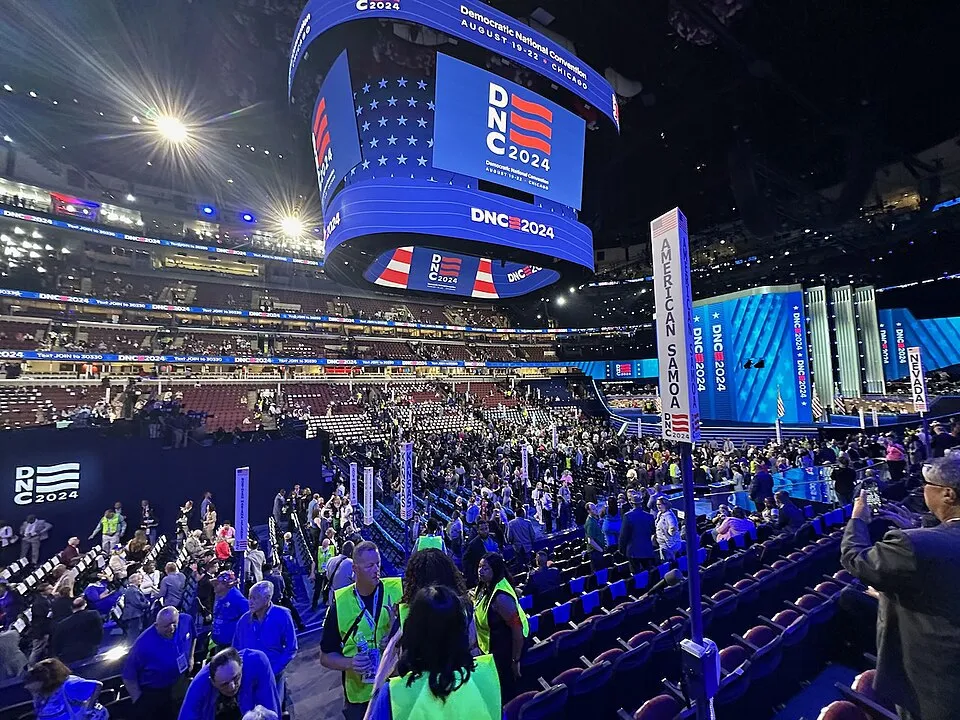
These images provide editorial context for event, asset and carbon platforms — source-backed landscape. They do not establish a supplier relationship, product identity, event booking or environmental performance.
THE NEXT CONNECTION
